
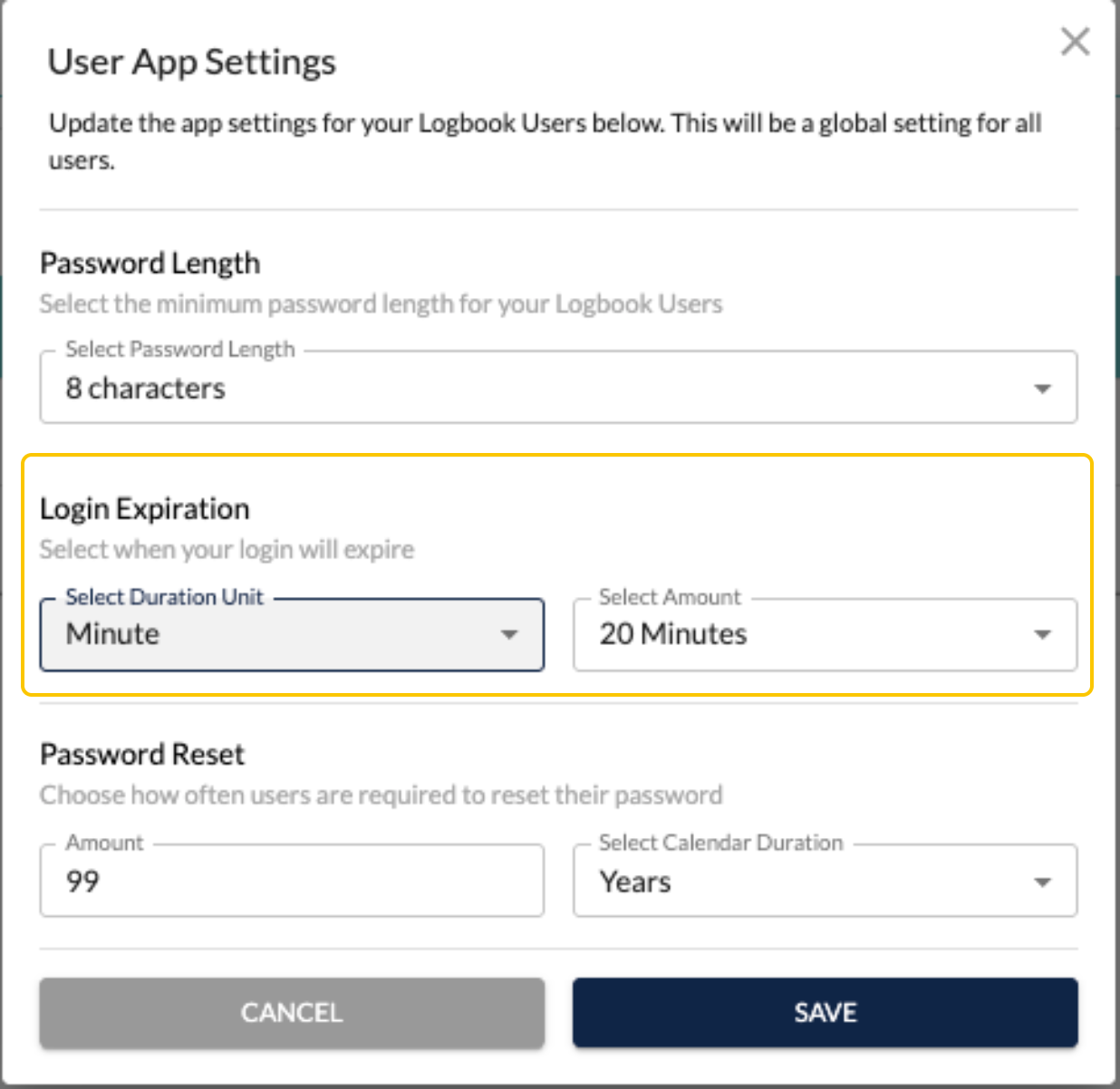
Admins now have the option to set the login session to expire within minutes, hours, or days.
To update this:
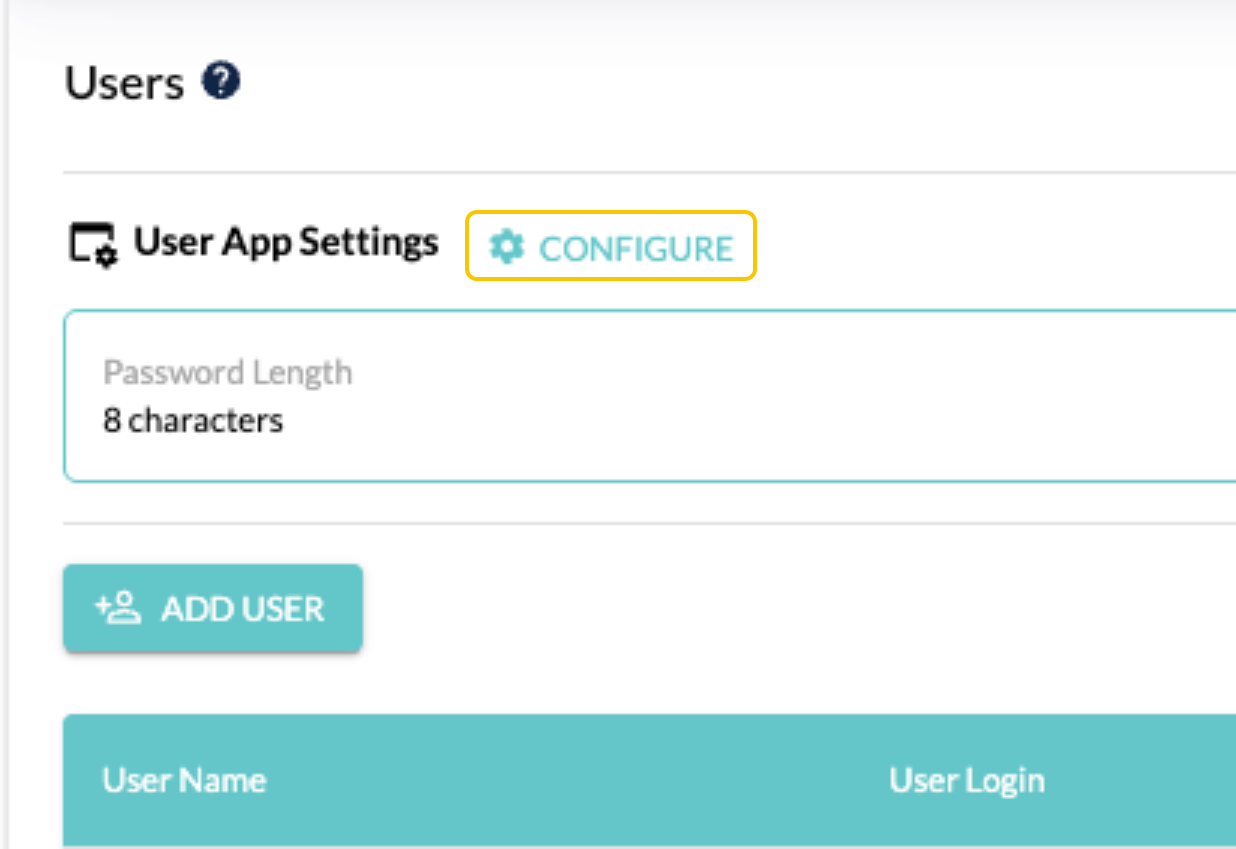
- Go to Users under Settings
- Click on Configure
- Select when a users session will expire and the amount of time
- Save
Privileged and confidential. For VetSnap approved use only. Copyright © VetSnap Corporation. All rights reserved. Not to be distributed, reproduced, modified, or used to create derivative works without explicit written permission from VetSnap Corporation. VetSnap is not a DEA consultant and does not provide legal or regulatory advice regarding controlled substances.