
We are excited to announce the release of our new VetSnap app!
To download on your Android Device:
- Open Chrome and go to your VetSnap login page.
- Tap Install on the banner that appears at the bottom of your screen.

- When Chrome shows a short confirmation prompt, tap Install again to confirm.
- If the banner doesn't appear: Tap the three-dot menu in the top-right corner of Chrome and select Install app or Add to Home Screen.
- The VetSnap icon will now appear on your home screen like a regular app.
To download on your Apple Device:
- Open Safari and go to your VetSnap login page.
- Look for the banner instruction at the bottom of the screen, or simply tap the Share button (the square icon with an upward arrow at the bottom of Safari).
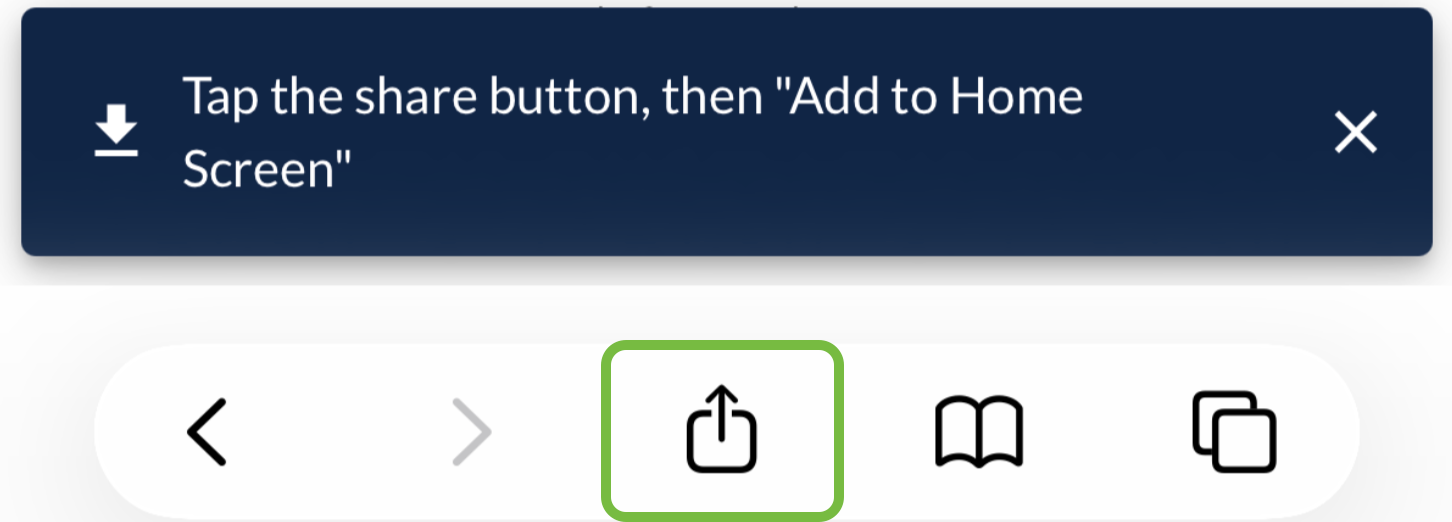
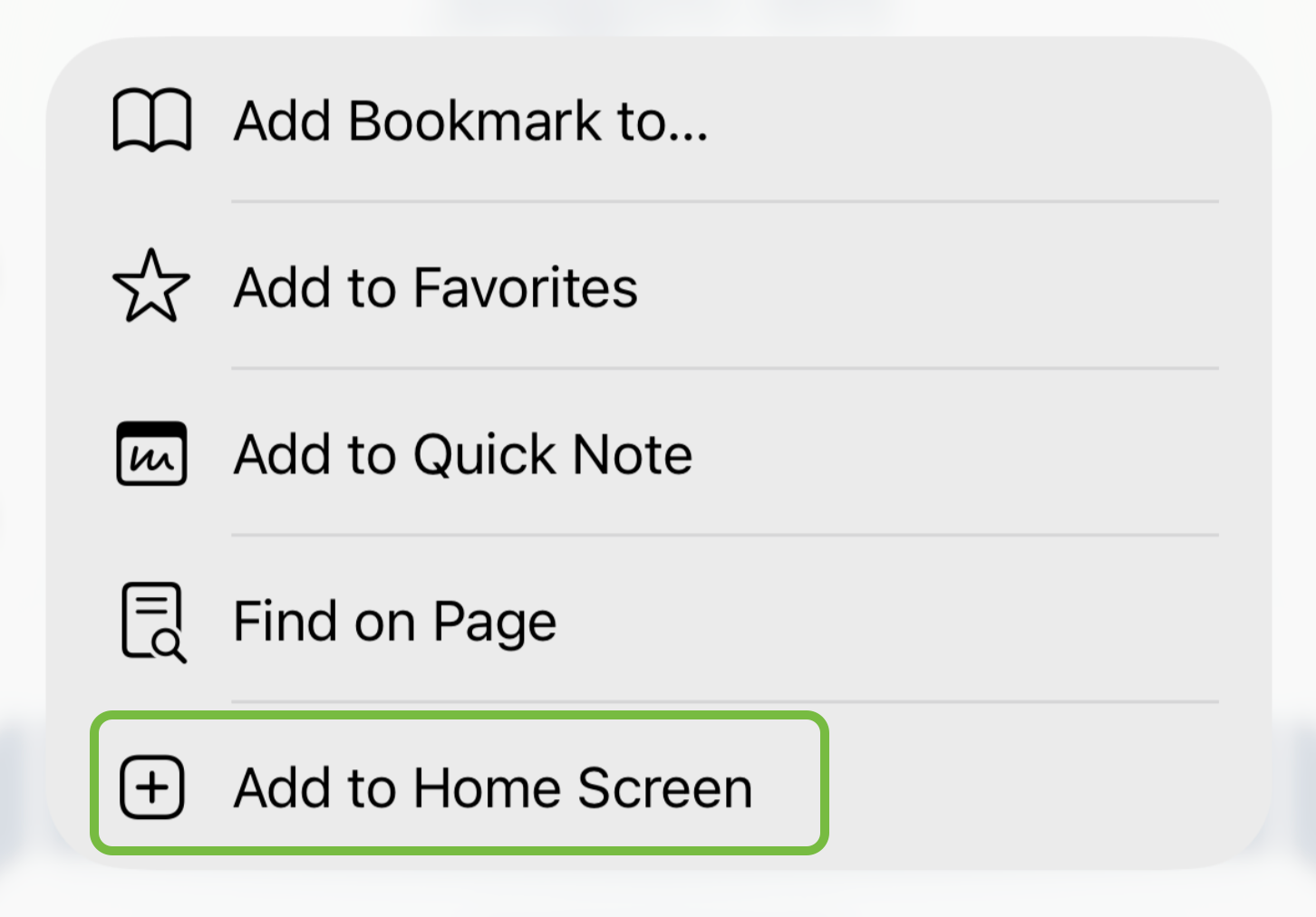
- Scroll down the share menu and tap Add to Home Screen.
- Tap Add in the top-right corner to confirm.
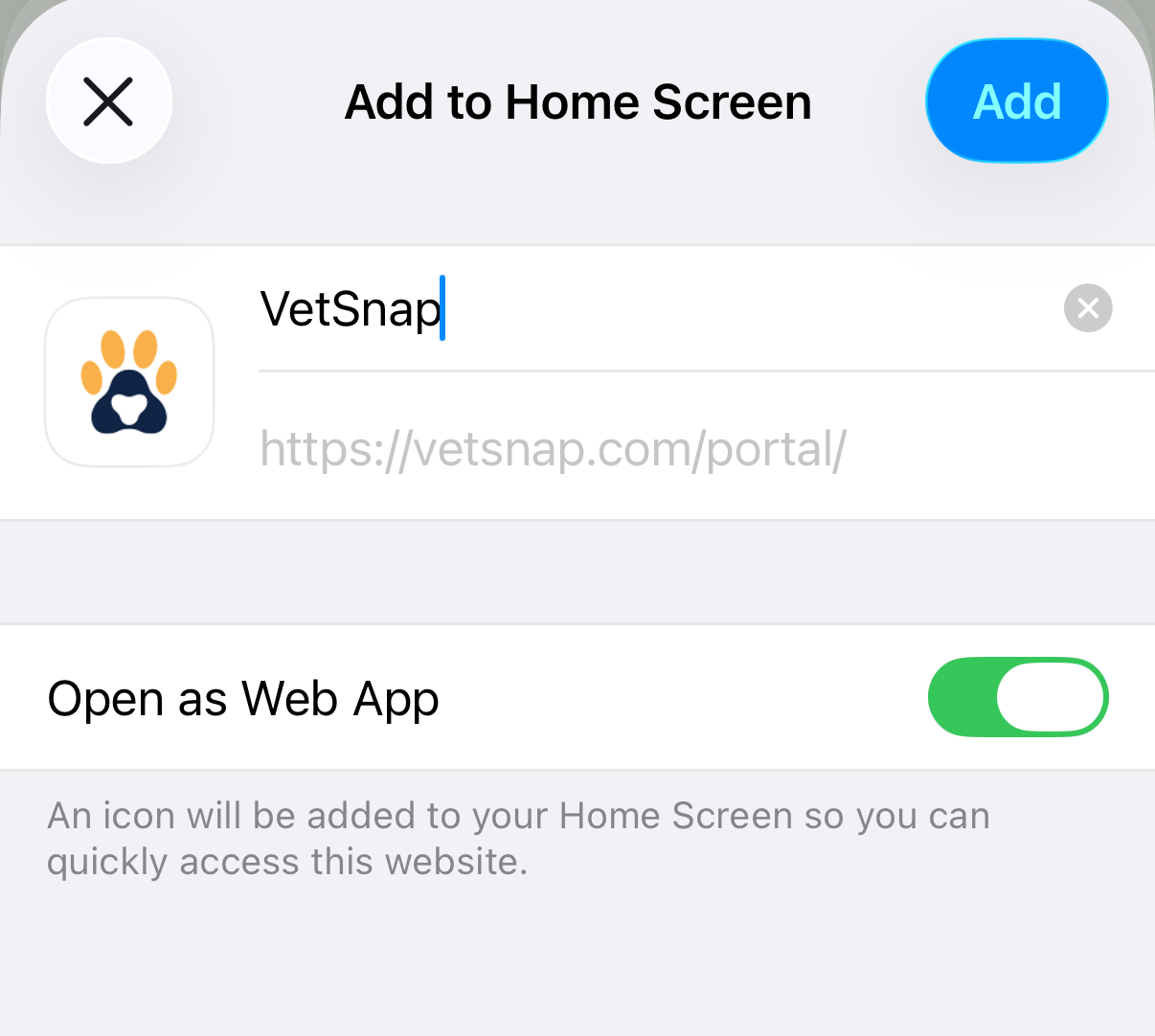
- The VetSnap icon will now appear on your home screen like a regular app.
Privileged and confidential. For VetSnap approved use only. Copyright © VetSnap Corporation. All rights reserved. Not to be distributed, reproduced, modified, or used to create derivative works without explicit written permission from VetSnap Corporation. VetSnap is not a DEA consultant and does not provide legal or regulatory advice regarding controlled substances.